Built for industrial engineers who need reliability, not bloat.
⚡
Modbus RTU & TCP
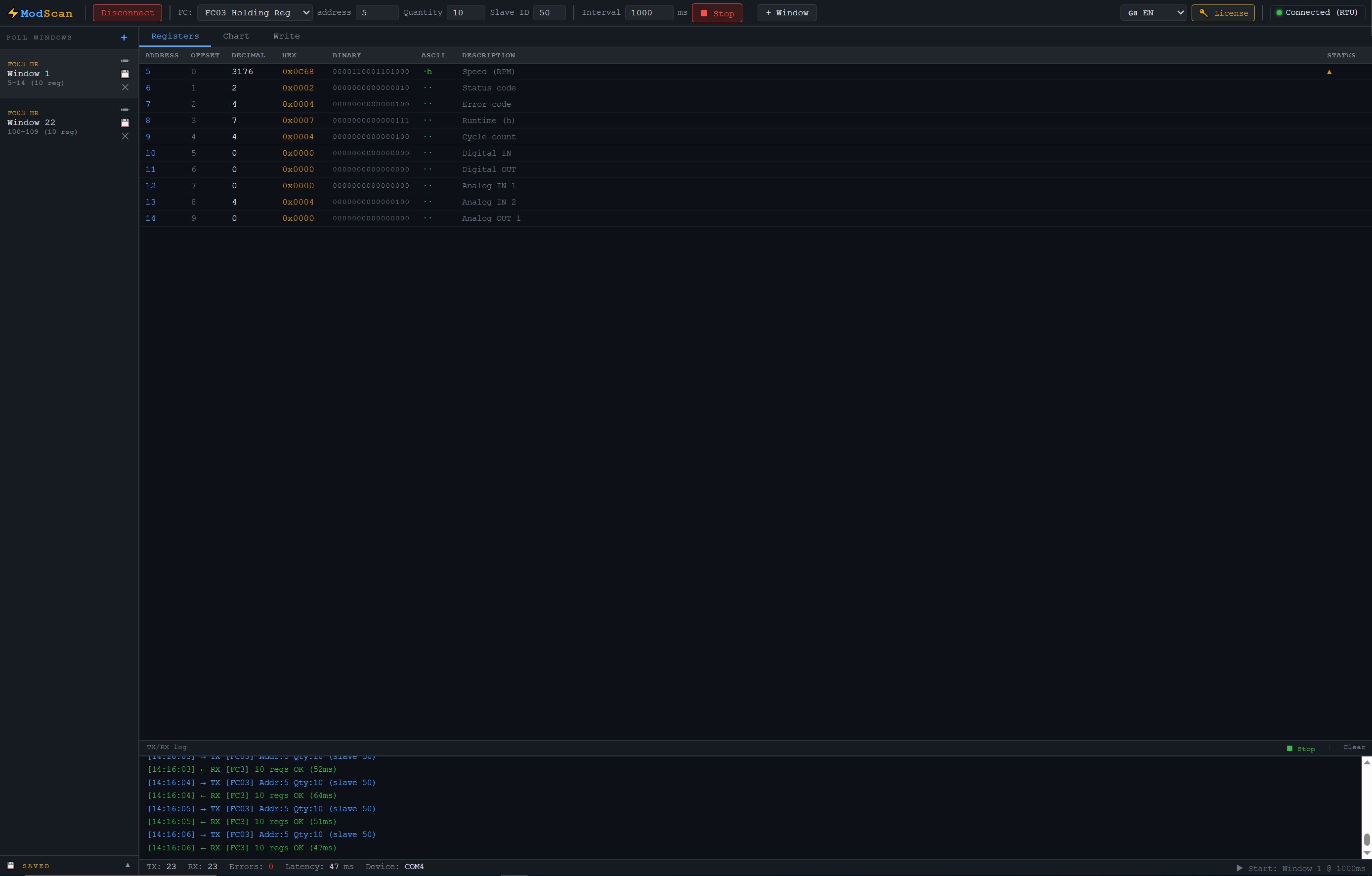
Full support for RTU over serial RS-232/RS-485 and TCP/IP. Reads all four register types: coils, discrete inputs, holding and input registers.
📊
Real-time monitoring
Live register values with configurable poll rates from 100ms. Visual charts, data logging and export to CSV.
🖥️
Built-in Slave Mode
Run a full Modbus slave server (TCP or RTU) right inside the app — no second device or extra software needed. Supports up to 247 slave IDs, all register types, and typed simulation (counter, sine, ramp) for 16/32-bit and Float32 values. Modbus Poll charges separately for this — we include it at no extra cost. See the full comparison.
📋
Device templates
Start in seconds with ready-made templates for common devices — ebm-papst EC fans, Huawei SmartLogger, Siemens S7-1200, energy meters and VFDs. Load a template and the right poll windows are set up for you, then adjust to your device.
📟
Dashboard HMI PRO
Build live operator dashboards with drag-and-drop gauges, lamps, bars, trends, tanks and valves. Fullscreen runtime mode turns any PC into an HMI panel — no SCADA package needed.
🏷️
Tags & scripting PRO
Map registers to named tags with native 16/32-bit and Float32 decoding — read floating-point voltages, power and energy directly, no scripting needed. Drive logic with IEC-style Structured Text for alarms, calculations and conditional dashboard behavior.
📈
Data logging Historian PRO
Log register and tag values to a local database and review them over time with trend charts, selectable time ranges, per-series deadband and CSV export. Fully offline — no cloud, no separate historian server.
🔔
Alarm system PRO
Define alarms on registers or tags with warning and critical levels, hysteresis and activation delay. Acknowledge alarms, keep a full alarm history, and get audible alerts — shown in a dedicated tab or on the dashboard.
🔀
Modbus gateway PRO
Poll several RTU and TCP devices at once and republish the registers you choose as one common register map — with data type and scale conversion both ways. A PLC reads the whole installation over a single Modbus TCP connection. Modbus gateway software →
🎲
Register simulation
Simulate live device behavior with Counter, Sine wave, Random, and Ramp generators per register. Perfect for testing SCADA and HMI without real hardware.
🔎
Slave & Address Scan
Automatically scan for active slave IDs on a network or scan all register addresses in a device — essential when working with unknown hardware.
🔍
Serial Monitor
See every raw byte on the line in real time. Inspect TX/RX traffic, spot protocol errors and debug communication issues without extra tools.
🔄
Auto-reconnect
Automatically reconnects after a dropped connection — no manual intervention needed. Keeps long-running monitoring sessions alive without babysitting.
🌐
Multilingual UI
Full interface available in 11 languages including Chinese, Russian, Arabic and more. Switch without reinstalling.
🌓
Light & dark themes
Switch between a clean light workspace and a low-glare dark mode in one click — comfortable on a bright factory floor or in a dim control room. Your choice is remembered.
🧪
Test Center
Build and send custom Modbus requests by hand, inspect raw responses, and verify device behaviour quickly during commissioning and debugging.
🔒
100% offline
No cloud, no telemetry, no internet connection required. Your industrial data stays on your machine, always.
💾
Workspace files
Save a whole setup — poll windows, tags, dashboards, chart series, slave blocks and scripts — into one workspace file. Reopen it next week or hand it to a colleague and everything is exactly as you left it.